WAH-i-Optimiser
WAH-i (Widefield Acoustics Heuristic — inverse iterative; pronounced waa-hee [/ˈwɑː.hiː/]) is a MATLAB-based framework and a software tool for designing and optimising 3D microphone-array geometries for TDOA localisation. The GUI supports rapid iteration, evaluation over a user-defined Field of Accuracy (FoA), and iterative optimisation under real-world constraints (arm length, minimum spacing, etc.).
WAH-i in action
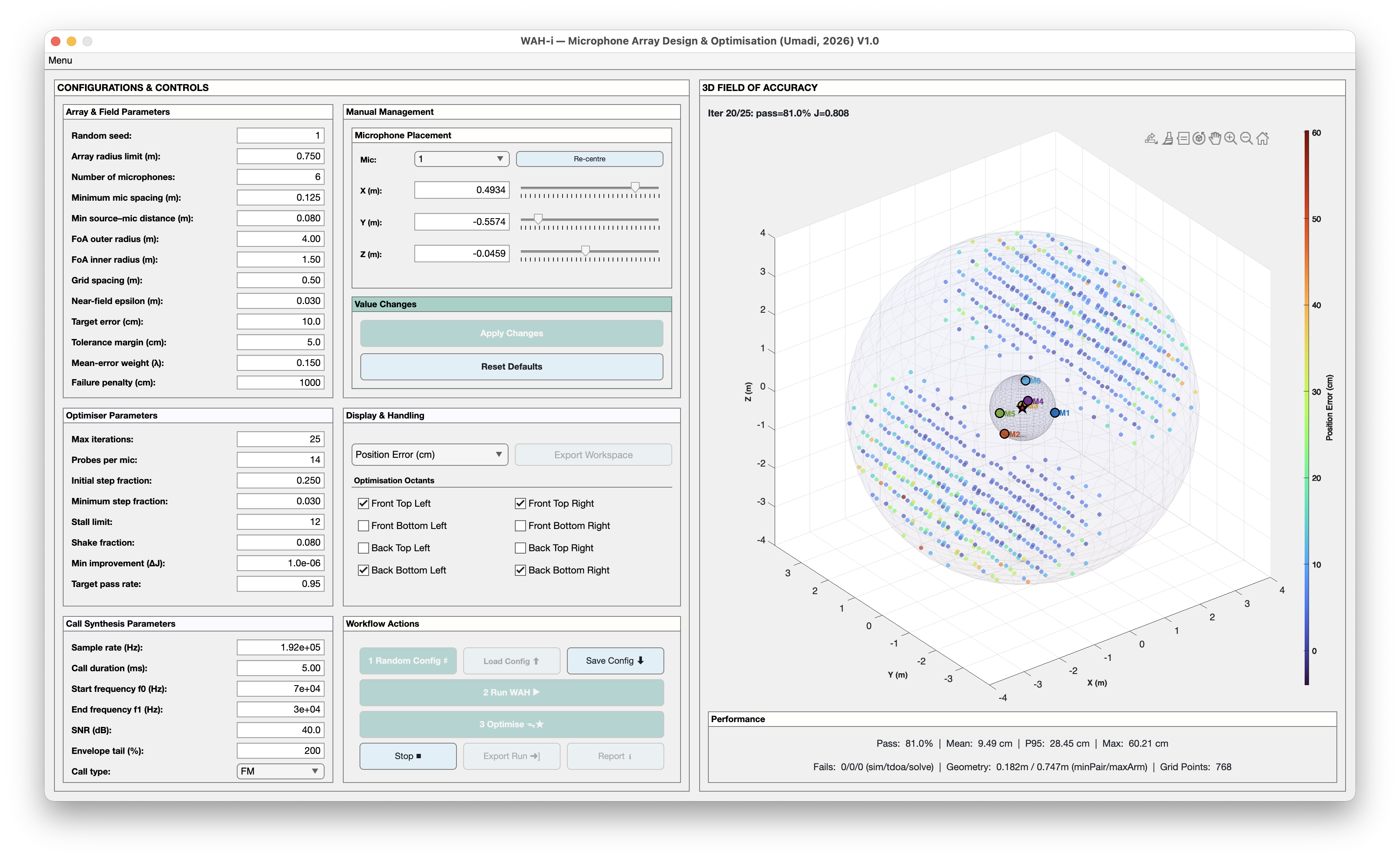
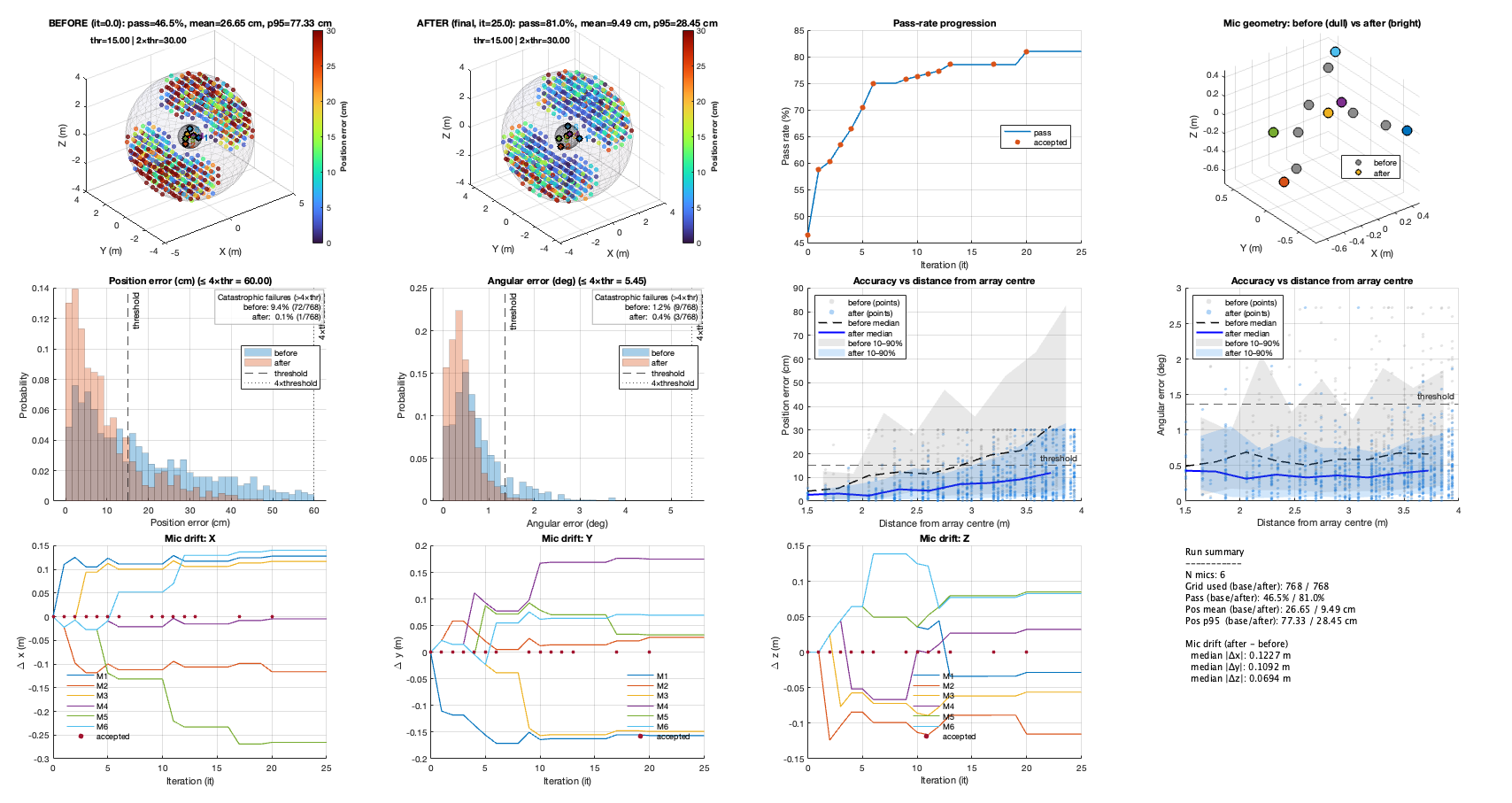

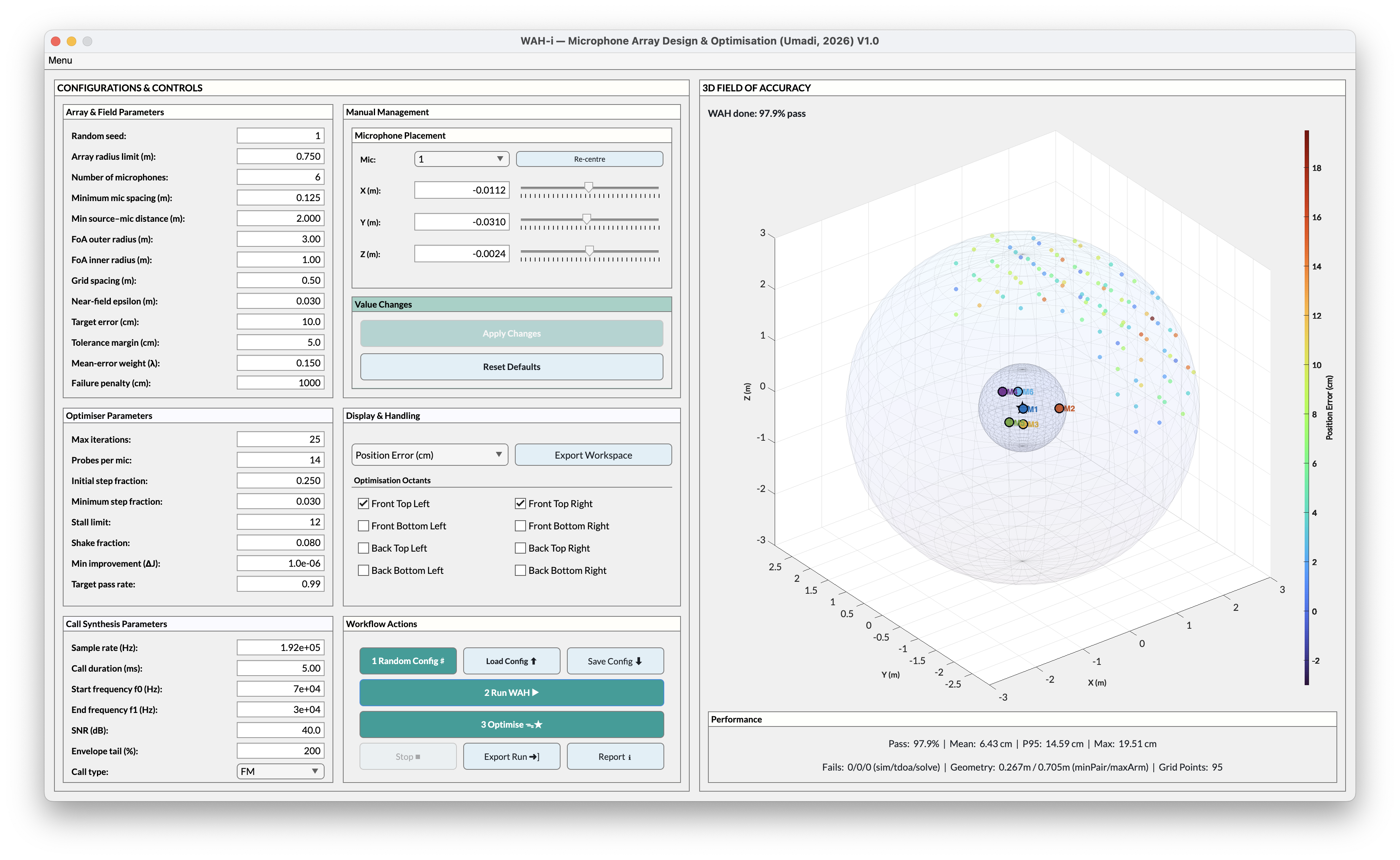
What WAH-i is for?
WAH-i is a practical tool for designing, evaluating, and optimising microphone array geometries under realistic localisation constraints.
At its core, WAH-i answers a simple but hard question:
“Given a limited number of microphones and physical placement constraints, how should they be arranged to maximise reliable localisation performance over a region of space I actually care about?”
Designed for real-world array design
WAH-i is built for situations where arrays are not idealised and not free to grow arbitrarily:
- limited arm length or mounting radius
- minimum microphone spacing
- near to mid-field accuracy
- asymmetric or task-specific regions of interest
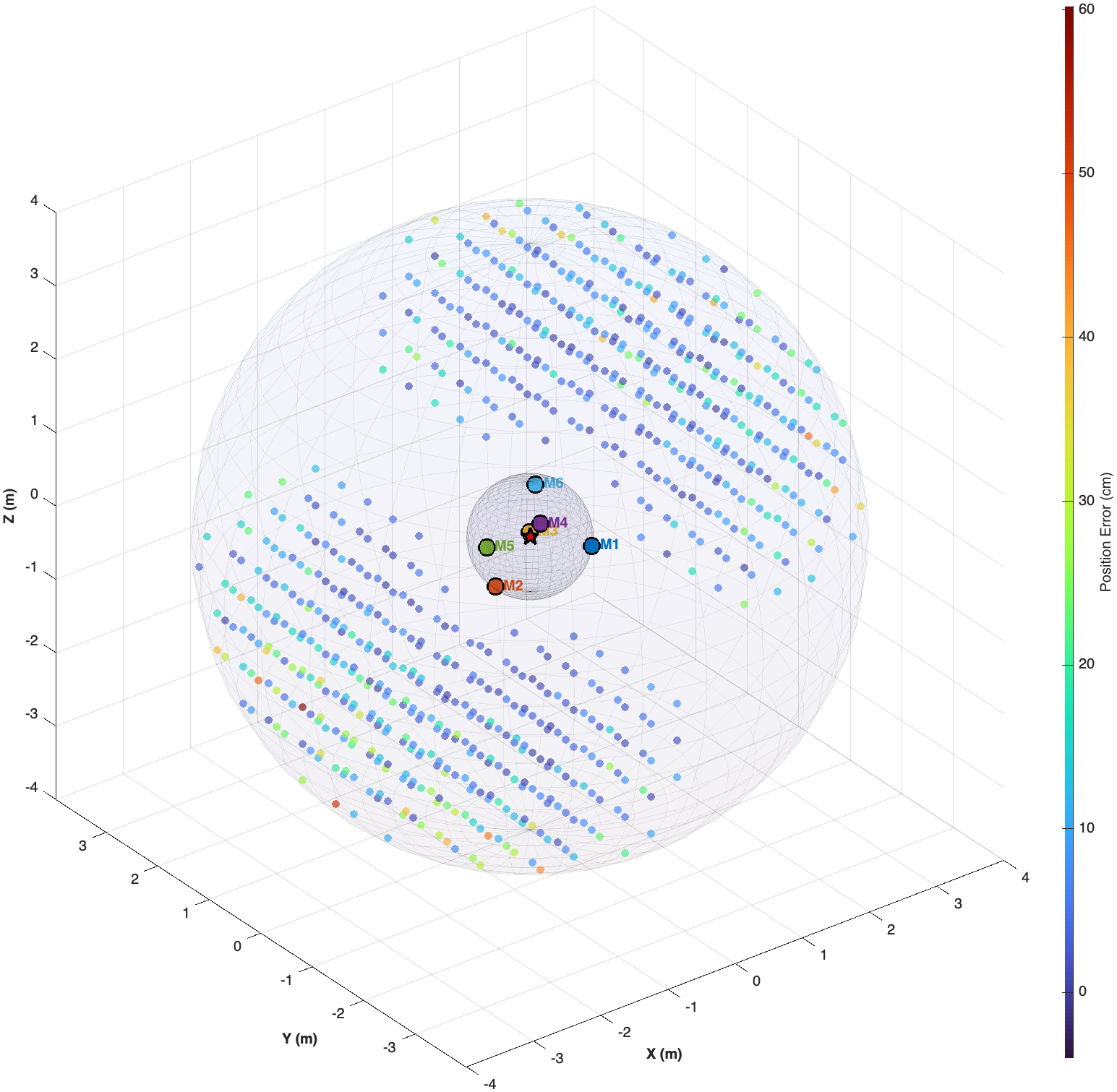
Instead of optimising abstract metrics, WAH-i evaluates performance over a user-defined Field of Accuracy (FoA) and explicitly quantifies where localisation succeeds or fails.
Field View
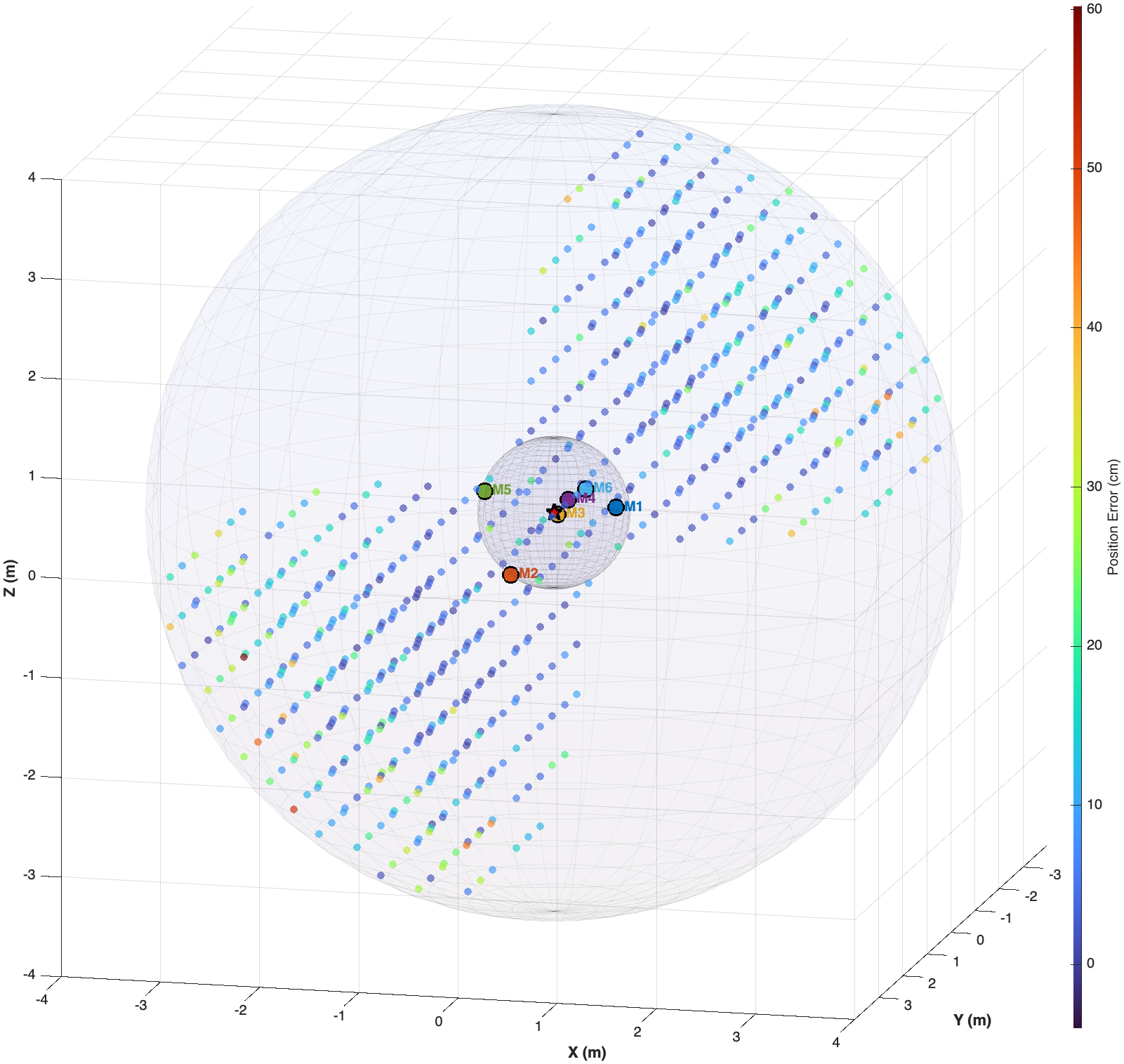
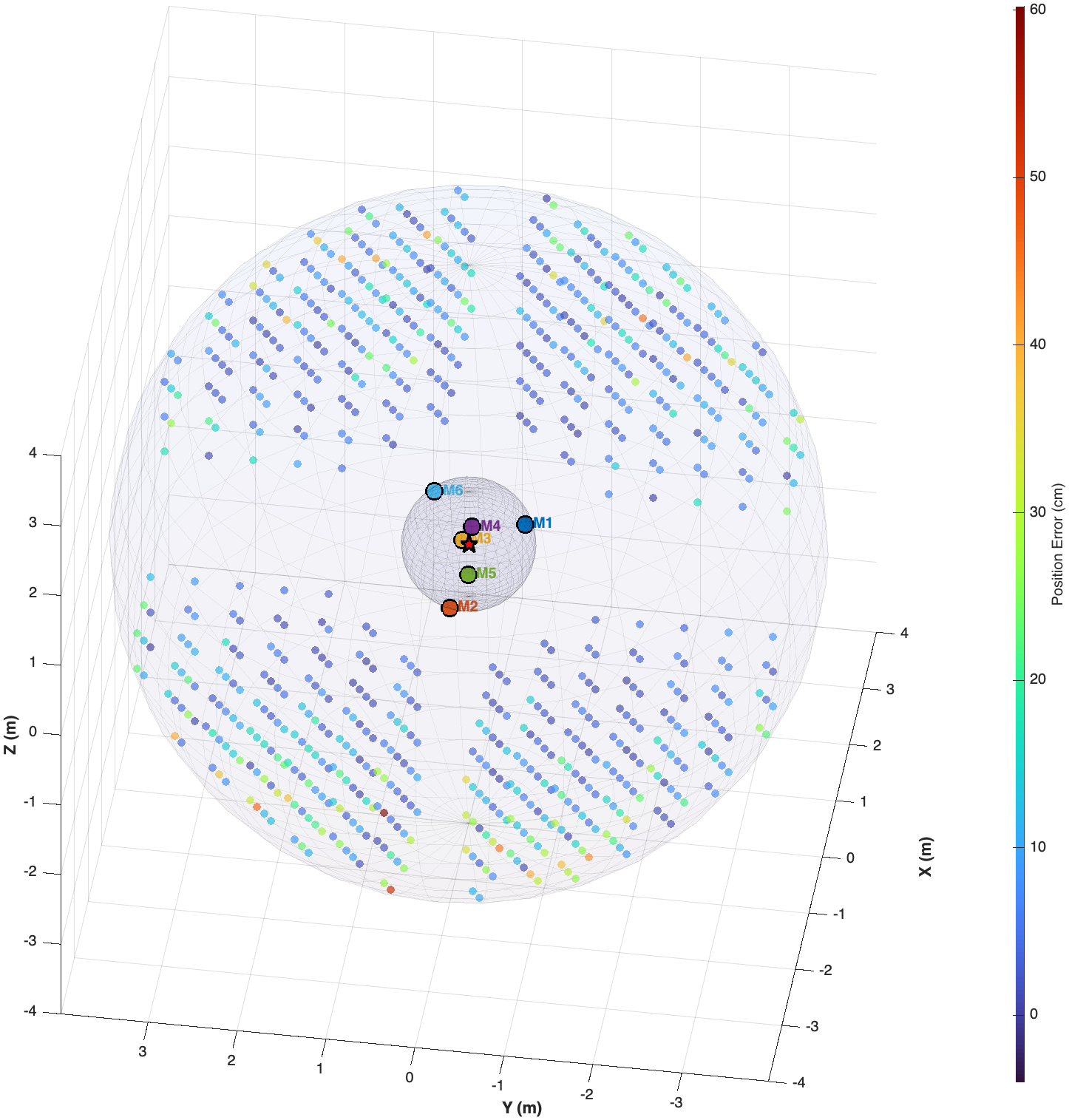
What makes WAH-i different
Unlike closed-form array designs or single-shot optimisation tools, WAH-i:
- treats array design as an iterative, constraint-driven process
- exposes the geometry–performance trade-off explicitly
- supports staged optimisation (coarse → fine)
- prioritises robust pass rate rather than best-case accuracy
The optimiser perturbs microphone coordinates directly and evaluates performance using the same localisation pipeline that would be used in practice. This ensures that improvements are meaningful, interpretable, and reproducible.
Typical use cases
WAH-i is particularly useful when you need to:
- design a portable or field-deployable microphone array
- compare candidate geometries under identical signal and noise conditions
- refine an existing array rather than start from scratch
- explore how performance changes with geometry, coverage, and constraints
- generate reproducible optimisation trajectories for research or validation
Field researchers can often stop once a geometry meets their target pass rate. Method developers can go further—modifying the localisation backend, spatial sampling strategy, or optimisation logic directly in code.
From exploration to deployment
The GUI supports rapid, single-geometry exploration, while the accompanying batch scripts enable large-scale comparative analyses across many geometries and optimisation runs. Together, they form a complete workflow from concept → optimisation → evaluation → deployment.
What you’ll find here
- Install: MATLAB Runtime + packaged app installation, and development setup.
- Download: get the installable packages for your OS.
- Quickstart: the shortest path from “installed” to “first optimisation run”.
- GUI walkthrough: what each panel does, and a suggested workflow.
- Optimisation tips: staged optimisation, interpreting metrics, and avoiding common traps.
- FAQ: deployment, paths, performance, and troubleshooting.
Recommended first steps
- Read Install
- Follow Quickstart
- Use Optimisation tips when pushing for high pass rates
Support my open science projects
This project is developed and maintained independently as part of my open research work. If you find it useful and would like to support continued development, documentation, and free public releases, consider buying me a coffee.